Understanding the A4 Bi-Fold Mockup: A Practical Tool for Professional Presentations
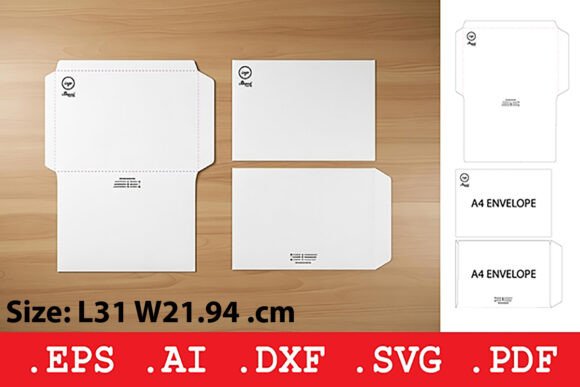
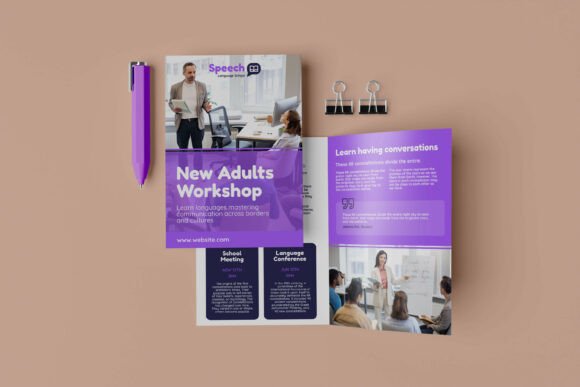
Designers and marketers often need a reliable way to showcase printed materials without the cost and delay of physical prototypes. The A4 bi-fold mockup offers a streamlined digital solution for visualizing how a design will appear in a real-world format. Unlike generic templates, this type of mockup is tailored for A4-sized bi-fold documents, making it a focused and efficient choice for those who need precision in presentation.
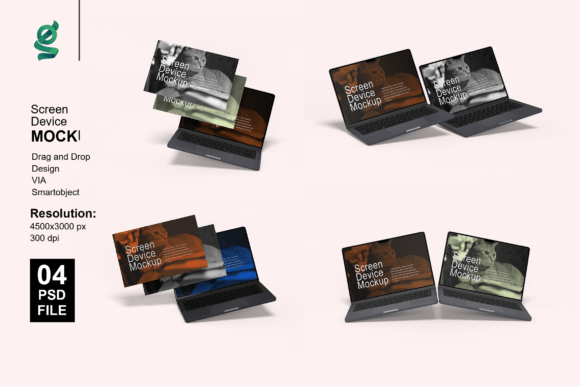
The A4 bi-fold mockup typically includes a set of Photoshop files that allow users to insert their designs via smart objects. This means the process is both fast and non-destructive, preserving the original design layers while enabling real-time preview adjustments. With high-resolution output—often at 3000x2000 pixels and 300 dpi—these mockups ensure clarity and print-readiness, essential for professional use.
How A4 Bi-Fold Mockups Stand Out
Compared to other presentation tools, A4 bi-fold mockups provide a balance of specificity and flexibility. While general-purpose brochure mockups may offer broader application, they often lack the exact dimensions and folding orientation needed for A4 bi-fold documents. This specialized format ensures that margins, creases, and overall layout are accurately represented, reducing the risk of misinterpretation during client or team reviews.
One of the key features that sets the A4 bi-fold mockup apart is its integration with Adobe Photoshop smart objects. This allows for quick edits and instant visual feedback, making it accessible even to users with limited design experience. Additionally, the ability to customize background colors and adjust lighting settings helps match the mockup to branding or presentation styles, enhancing visual cohesion.
Comparing A4 Bi-Fold Mockups with Similar Options
When evaluating digital presentation tools, it's important to consider alternatives such as tri-fold mockups, single-page mockups, or 3D renderings. Each has its own strengths and ideal use cases:
- Tri-fold mockups: Offer more panels but may be overkill for simpler A4 documents. They require more design coordination and can be harder to align properly in digital previews.
- Single-page mockups: Useful for flat designs but don’t show how a bi-fold document folds or interacts with adjacent panels.
- 3D renderings: Provide a more immersive view but often require more processing power and time to edit. They may also include unnecessary complexity if a flat or semi-realistic preview is sufficient.
The A4 bi-fold mockup sits in a middle ground—offering enough realism and structural accuracy without overcomplicating the editing process. It’s particularly well-suited for marketing materials, event programs, and informational brochures that rely on a clear, two-panel layout.
Strengths and Limitations of A4 Bi-Fold Mockups
Like any design tool, the A4 bi-fold mockup has distinct advantages and constraints. Understanding these can help users determine if it aligns with their project needs.
Key Strengths
- Quick customization: Smart object layers allow for one-click design insertion, making updates fast and intuitive.
- High-resolution output: Ideal for print and digital presentations where clarity is essential.
- Organized layer structure: Makes it easier to manage lighting, background, and design elements without confusion.
- Realistic preview: Helps clients and stakeholders visualize the final product more accurately than flat layouts.
Common Limitations
- Adobe Photoshop dependency: Requires access to Photoshop, which may be a barrier for some users.
- Limited to A4 bi-fold format: Not suitable for other brochure types or non-standard folding styles.
- Learning curve for beginners: While easier than creating mockups from scratch, some familiarity with Photoshop is still needed.
When to Choose an A4 Bi-Fold Mockup
This type of mockup is most effective when working with standard A4-sized bi-fold documents intended for print or digital distribution. It’s especially valuable in scenarios where:
- You need to show how a design appears across two folded panels.
- Presentation quality and realism are important for client approval.
- Time is a factor, and you want to avoid manual layout adjustments.
- You're preparing marketing or informational materials that must align with specific print dimensions.
For example, a small business creating a product catalog for a trade show would benefit from using an A4 bi-fold mockup to ensure proper layout and fold visualization before printing. Similarly, a freelance designer presenting a brochure mockup to a client can quickly make adjustments and show a polished preview without needing to create physical samples.
When Another Option Might Be Better
Despite its advantages, the A4 bi-fold mockup isn't always the best fit. In some cases, alternative tools may be more appropriate:
- If your project involves a tri-fold or multi-panel brochure, a more flexible mockup template would be necessary.
- For digital-only presentations where realism isn't critical, a simple layered PDF or online design tool may suffice.
- If you're working without Photoshop or prefer browser-based tools, there may be better options available outside the PSD format.
Additionally, if your design includes complex textures, embossing, or special finishes, a 3D mockup might offer a more accurate representation, though it would require more time to adjust and render.
Practical Use and Setup Tips
Using an A4 bi-fold mockup is straightforward, especially for those familiar with Photoshop. Here's a general guide to getting started:
- Open the included PSD file in Adobe Photoshop.
- Locate the smart object layer designated for your design.
- Double-click the smart object to open a new tab for editing.
- Paste or import your design into this layer, ensuring proper alignment and scaling.
- Save and close the smart object tab to update the mockup preview.
- Adjust background colors or lighting as needed using the provided adjustment layers.
Because the layers are organized and labeled, users can easily toggle visibility, modify shadows, or change the background to match a specific presentation style. It's also helpful to keep a backup of the original file before making edits, especially when working with multiple design variations.
Making an Informed Choice
Choosing the right mockup format depends on the specific needs of your project. The A4 bi-fold mockup offers a focused, efficient way to present bi-fold documents with high fidelity and minimal effort. It excels in environments where time, accuracy, and professional presentation are priorities.
However, it’s important to consider alternatives if your design format or workflow doesn't align with the A4 bi-fold structure. By understanding the strengths and limitations of different mockup types, you can select the one that best supports your design goals without unnecessary complexity.